


To reset the Salt + Light Plus Account password, please follow the steps below.
To reset your password
- To log out, go to the Salt + Light Plus homepage and click “LOG OUT” from the top navigation menu.

- On the Salt + Light Plus homepage, click “LOGIN”.
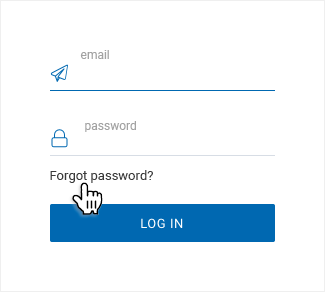
- In the Login pop-up, click the “Forgot Password” link.

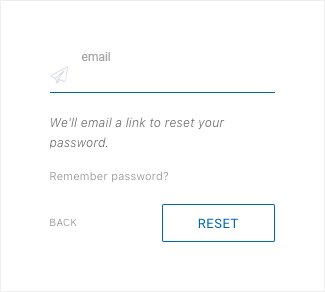
- Enter the email address associated with your Facebook or Google account and click “RESET”.
Do not click outside the pop-up. If the pop-up is closed, please repeat steps 2 to 4.
- You will receive an email from slmedia.org with the subject: "Salt + Light Media Password Reset Token". The token is a series of numbers and letters.
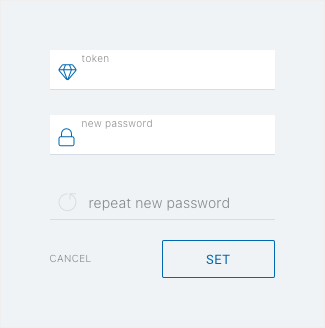
- Copy or write down the token from the email, go back to the password reset form in your browser, and paste or type the token in the "token" field.
- Then enter your new password in the same form, confirm your password, and click “SET”.
You are all set! Please remember your email address and your new password. From now on you should use this email address and password to sign in to Salt + Light Plus across devices in order to access Salt + Light Plus on your web browser, Amazon Fire, and Roku.
Thank you for your continued support. We look forward to sharing more Catholic content with you.
Your Salt + Light Plus Team
SUPPORT LABEL
$50
$100
$150
$250
OTHER AMOUNT
DONATE
Receive our newsletters
Stay Connected


Receive our newsletters

Stay Connected